New in version 3.1.0
Made for iPhone Duo
Fliptastic is a slideshow maker that is made for iPhone Duo. Unfold it and the app spreads out side by side on the big inner display. Half-fold it like a mini laptop and your slideshow plays above the fold, with the controls below. Folded or unfolded, it fits the screen.
Updated
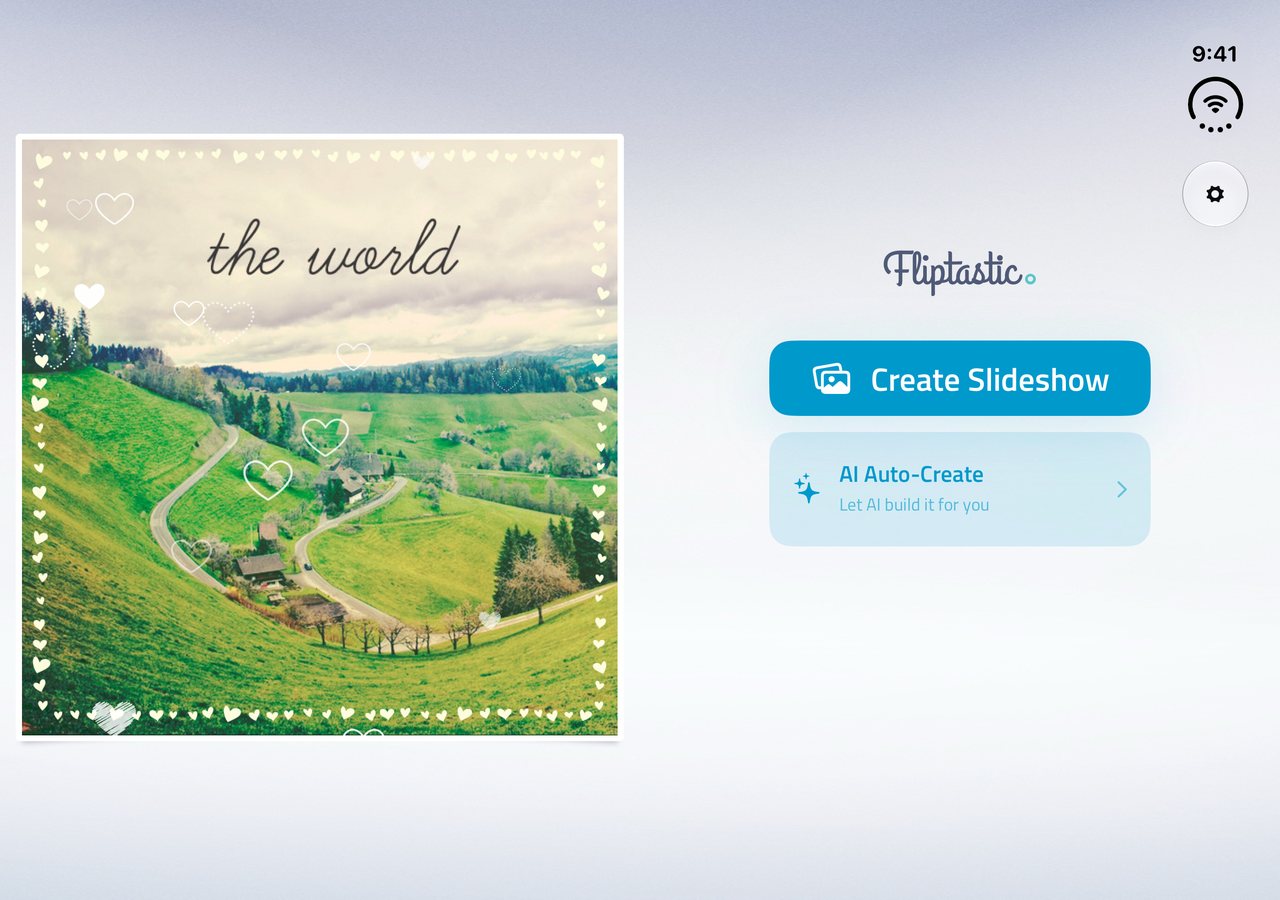
Unfolded
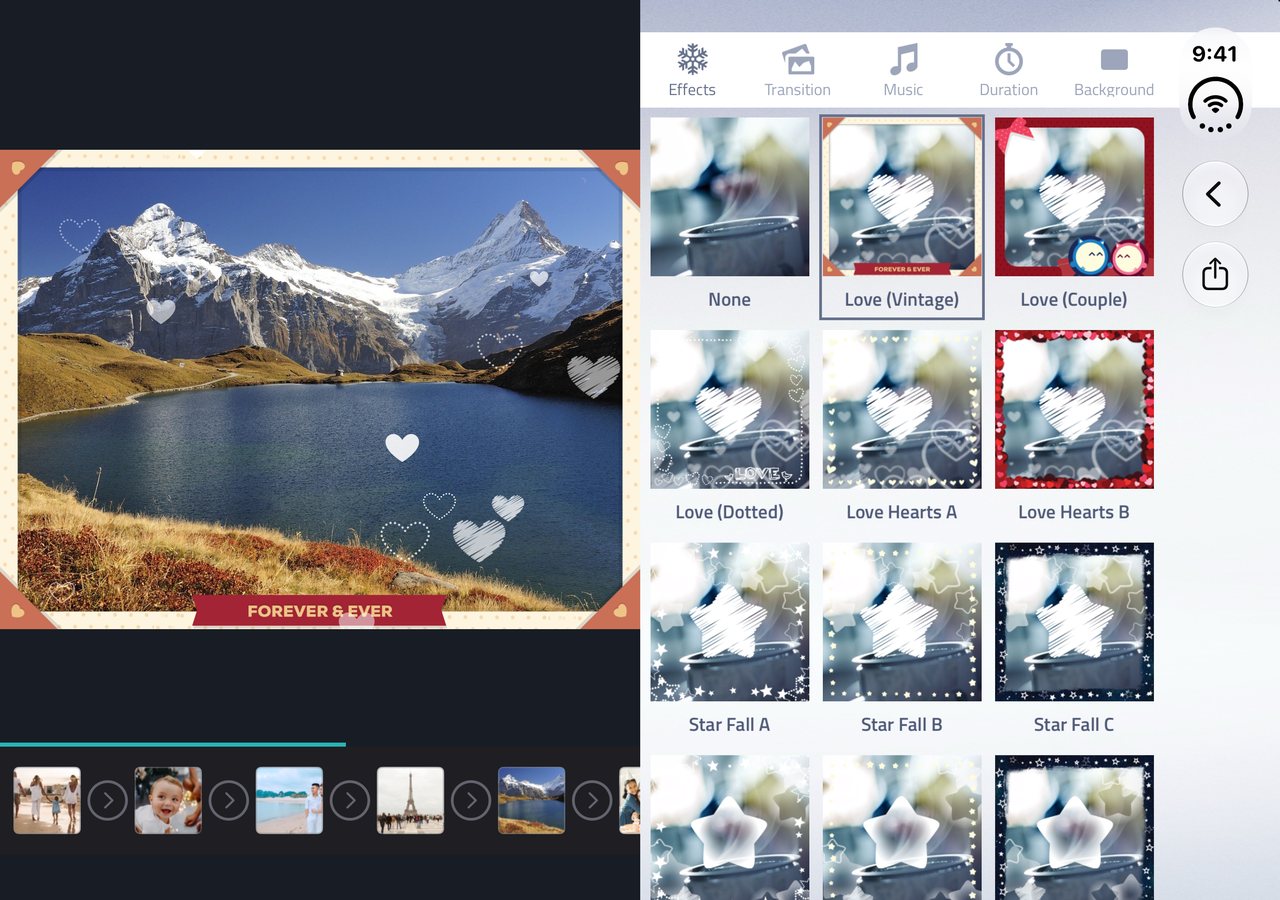
Side by side on the big inner display
Open iPhone Duo and Fliptastic spreads out instead of stretching. On Make Video, your slideshow plays on one side while effects, transitions, music, duration and background sit on the other, so you see every change as you make it. The home screen and the photo editor go side by side the same way.
- Make Video: the preview and timeline beside all the settings
- Home: your latest slideshow beside Create Slideshow and AI Auto-Create
- Photo editor: the tools beside the photo, not under it
- My Projects opens as a grid
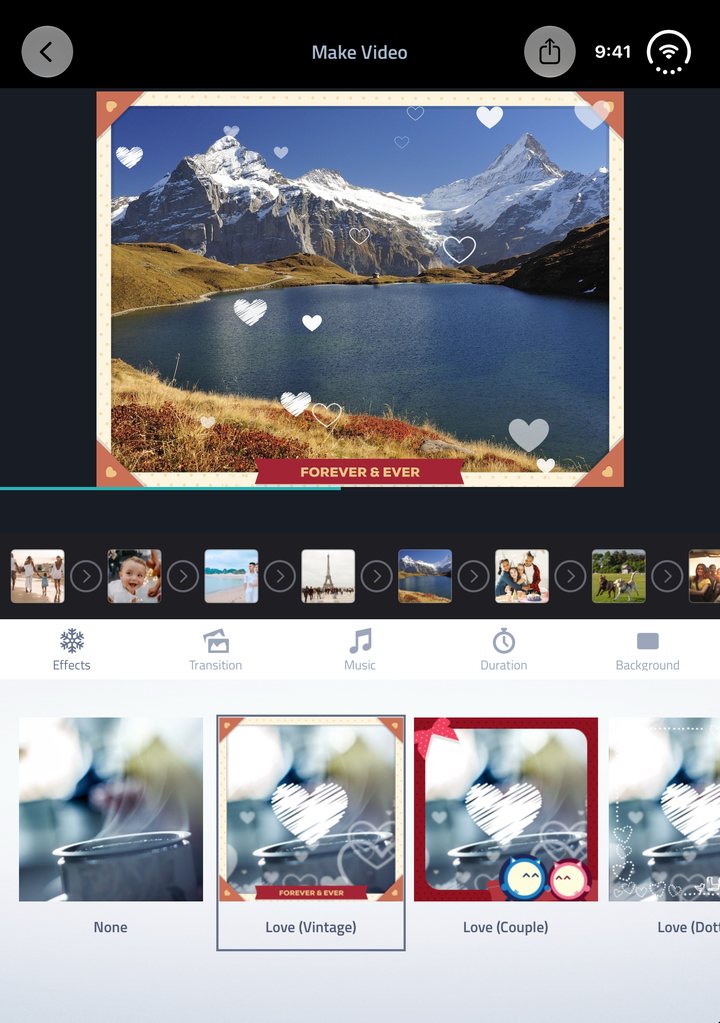
Half-folded
A mini studio when you half-fold it
Stand iPhone Duo up like a small laptop and Fliptastic splits at the fold: the slideshow plays on the top half, and the controls sit on the bottom half within reach of your thumbs. Nothing you need to tap lands on the crease.
- Slideshow above the fold, controls below
- Works on Make Video and on the home screen
- Popups, messages and the AI progress card move off the fold while it is bent
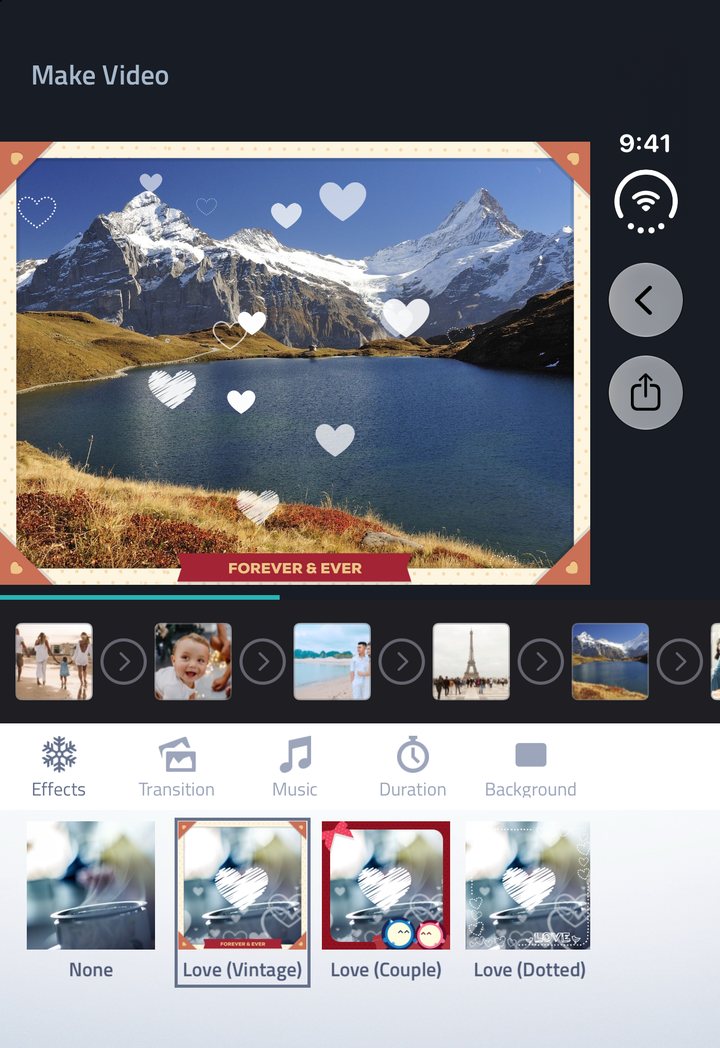
Folded
Close it and keep going
Fold iPhone Duo shut and Fliptastic carries on, on the outer display, as the iPhone app you already know. Open it again and the layout spreads back out, right where you left off.
- The familiar iPhone layout on the outer display
- Fits the screen in every pose, folded or unfolded
Two new formats
4:3 and 3:4, the classic photo shapes
iPhone Duo’s inner display is close to 4:3, so version 3.1.0 adds 4:3 Landscape and 3:4 Portrait. On iPhone Duo, AI Auto-Create picks the one that suits your photos. Both formats work on every iPhone and iPad too, and all six are free: 9:16 Reels & TikTok, 16:9 YouTube, 8:10 Instagram, 1:1 Square, 4:3 Landscape, 3:4 Portrait.
iPhone Duo questions
Fliptastic on iPhone Duo
Does Fliptastic support iPhone Duo?
Yes. Fliptastic is made for iPhone Duo from version 3.1.0, a free update on the App Store. It adapts to every pose: side by side when unfolded, split at the fold when half-folded like a laptop, and the regular iPhone layout on the outer display when closed.
What does Fliptastic look like when iPhone Duo is unfolded?
On the inner display, the home screen, Make Video and the photo editor go side by side instead of stacking. On Make Video, the slideshow preview and timeline sit on one side and the effect, transition, music, duration and background settings on the other. My Projects opens as a grid.
Can I use Fliptastic with iPhone Duo half-folded?
Yes. Half-fold iPhone Duo like a mini laptop and Fliptastic splits at the fold: your slideshow plays above it and the controls sit below it. Popups, messages and the AI Auto-Create progress card move off the fold while it is bent, so nothing you need lands on the crease.
Which video format should I use on iPhone Duo?
Any of the six. The inner display is close to 4:3, so Fliptastic added 4:3 Landscape and 3:4 Portrait, and on iPhone Duo AI Auto-Create picks one of them for you: 4:3 when most of your photos are landscape, 3:4 otherwise. For Reels and TikTok, 9:16 is still the one to use.
Does iPhone Duo support cost extra?
No. The iPhone Duo layouts are part of the free download, and so are all six video formats. Premium is the same as on any iPhone: it removes the watermark and unlocks the full set of transitions, effects and theme songs.
More answers in the FAQ, or see every feature.
Ready when your iPhone Duo is
Free on the App Store. Already have Fliptastic? Update to version 3.3.0.
Download Fliptastic